
FoodDesk POS is the browser till from iSoft at fooddesk.com.bd. The homepage prints three plans: Starter ৳2,000 a month with a ৳35,000 setup, Business ৳3,000 with ৳55,000, and Enterprise ৳10,000 with ৳300,000. Riser POS is Dimdul’s restaurant till from Mohammadpur. Live restaurant pricing on riserpos.com/pricing.html shows Startup ৳1,000, Plus ৳2,000, and Pro custom, with installation from ৳5,000. This page compares what each side publishes as of 6 November 2026.
Quick answer: Choose FoodDesk if you want a browser till, a printed KOT per kitchen, recipe costing, and a priced plan for a second branch, and you can keep the counter online. Choose Riser POS if you want offline billing, a kitchen display on the Plus plan, and a printed install from ৳5,000. Riser does not publish a two-branch price.
Written by Dimdul, House 10, Road 4, Kaderabad Housing, Mohammadpur, Dhaka-1207. Last updated: 6 November 2026.
How do Riser POS and FoodDesk compare?
Figures below are what each vendor publishes, checked 6 November 2026. A sample screen on FoodDesk is labeled illustrative. A competitor claim is not a Dimdul guarantee. Confirm every row in a live demo.
| Riser POS (Dimdul) | FoodDesk (iSoft) | |
|---|---|---|
| Published monthly price | Startup ৳1,000; Plus ৳2,000; Pro custom | Starter ৳2,000; Business ৳3,000; Enterprise ৳10,000 |
| Setup | From ৳5,000 (domain, hosting, training) | Starter ৳35,000; Business ৳55,000; Enterprise ৳300,000. Hero says setup and training are included |
| Where it runs | Windows, Android, and tablets, including a phone till | Browser on PC, tablet, or phone. “Nothing to install on the counter” |
| Offline billing | Yes, on the restaurant product page | FAQ: the counter needs a working internet connection. A short drop should not lose a saved order. Hotspot is their suggested fallback |
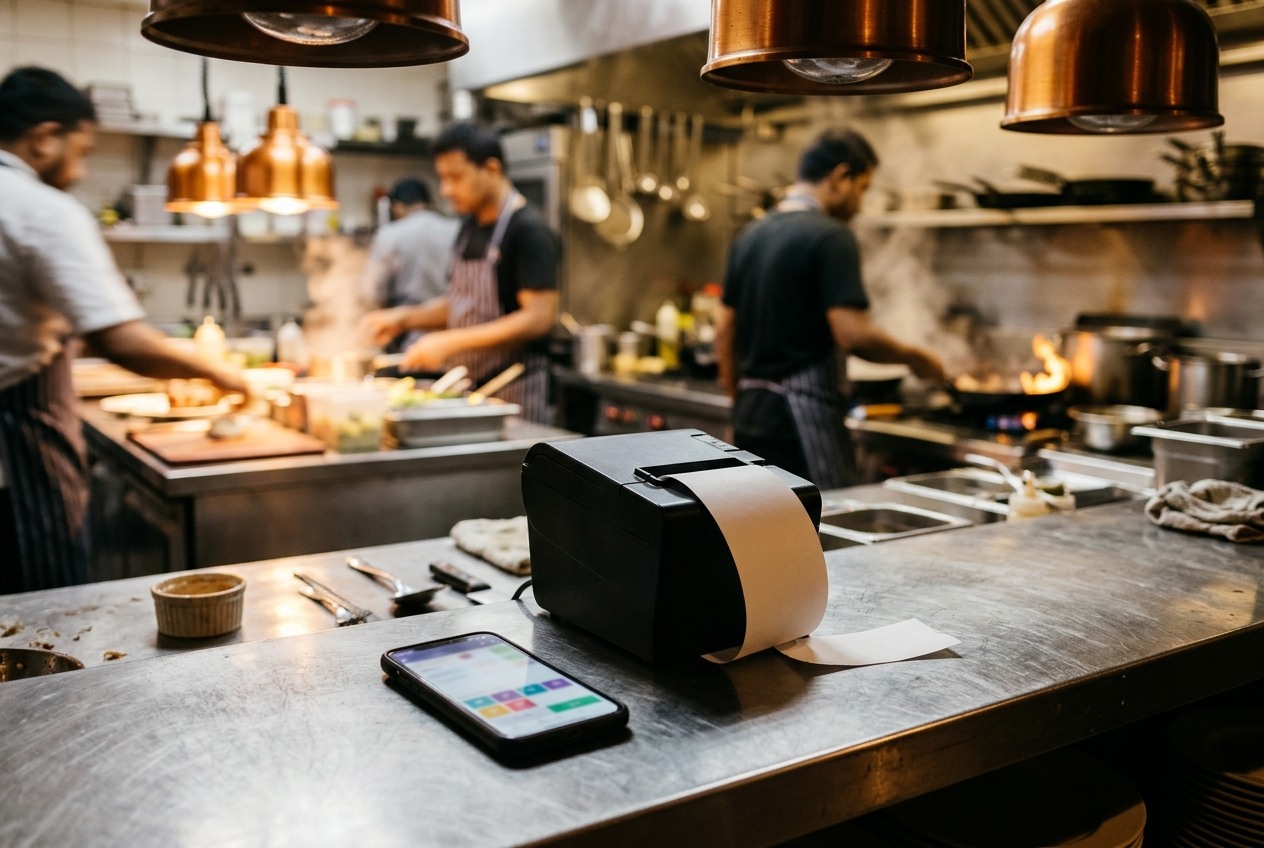
| Kitchen ticket | Plus: multi-kitchen KDS. Paper ticket is also used | Prints one KOT per kitchen on a 58 mm or 80 mm printer. No kitchen display screen named on the homepage |
| Guest QR menu | Plus plan | Not on the homepage |
| Inventory | Plus plan | Every plan: purchases, stock, recipe costing |
| Second branch | Ask Dimdul. Not a published two-outlet price | Business plan: 2 branches, 6 users, ৳3,000/month |
| Mushak 6.3 | Not published | Not on the homepage |
| Wallets | Split payment; payment types as configured. Confirm bKash on a demo | Sample split bill shows a bKash line and a cash line. Confirm whether that is a labeled tender or a wallet link |
| Typical fit | One outlet that needs offline billing, a printed install, and KDS or QR on Plus | One or two outlets that will stay online and want recipe cost, a Z-report, and a priced second branch |
Dimdul lists Riser first because we publish it, not as a ranked recommendation. Wider shortlist: best restaurant POS in Bangladesh. Price write-up: Riser POS price in Bangladesh. Live cards: riserpos.com/pricing.html.
What does year one cost before a printer?
FoodDesk says every plan includes the full system. The card changes how many outlets and users you get, not which modules are locked. Tables are unlimited on Starter, Business, and Enterprise.
FoodDesk Starter, one branch, three users: ৳2,000 × 12 + ৳35,000 = ৳59,000 in year one before a printer or tablet. Business, two branches, six users: ৳3,000 × 12 + ৳55,000 = ৳91,000 before hardware. Enterprise, four branches, twelve users: ৳10,000 × 12 + ৳300,000 = ৳420,000 before hardware.
Riser Startup, without multi-kitchen KDS or QR: ৳1,000 × 12 + ৳5,000 = ৳17,000 before hardware. Riser Plus, which is the plan that lists KDS and QR: ৳2,000 × 12 + ৳5,000 = ৳29,000 before hardware. A second Riser outlet is not on that card. Ask Dimdul what it costs before you sign for two sites.
The monthly ৳2,000 lines can match. The setup does not. FoodDesk’s hero also says “setup and staff training included” and “no card, no commitment.” The plan cards still print ৳35,000 and up. Read “included” as training inside that setup fee, then ask for the invoice.
What reaches the kitchen?
FoodDesk’s homepage is built around a printed kitchen order ticket. Saving an order prints one KOT per station. Grill, rice, and drinks can each get their own slip, and an add-on is a later round so the first items are not cooked twice. Any standard 58 mm or 80 mm thermal printer is the device they name. They do not name a kitchen display screen on the page we checked.
Riser Plus lists multi-kitchen management with a kitchen display. A paper ticket can still sit at the pass. Startup at ৳1,000 does not include that KDS module. If the cook will read a screen, budget Riser Plus. If the cook will read a printed slip and you want that slip on the cheaper published FoodDesk card, Starter already includes the KOT.
Guest phones are a separate row. Riser Plus publishes a QR menu. FoodDesk’s order screen is the waiter tapping dine-in, pickup, or delivery. A guest QR was not on their homepage on 6 November 2026.
Who has to stay online?
FoodDesk’s own FAQ answers this in one place. The POS runs in the browser against your cloud database, so the counter needs a working internet connection. They suggest a mobile hotspot when broadband drops. An outage of a few seconds should not wipe an order that has already been saved. That is not the same as ringing three cash bills with Wi-Fi and phone data both off.
Riser publishes offline billing on the restaurant product page: essential selling can continue, then sync when the line returns. Load-shedding in Dhaka is the reason that row exists. Test it. Unplug the router and switch off data. If FoodDesk stops at the login screen, the hotspot plan is part of the buying decision, not a footnote.
Who should choose Riser POS?
Riser POS handles orders, tables, kitchen display, QR menu, inventory, bills, and split payment, with Foodpanda or Pathao orders entered in the POS panel when that workflow is configured. It runs on Windows, Android, and tablets. Dimdul installs from Mohammadpur. There is no self-serve free trial on the Dimdul pages.
Riser POS fits when:
- You run one restaurant, cafe, bakery, tea stall, or cloud kitchen and want the install fee printed (from ৳5,000, including domain, hosting, and training).
- The till has to take cash when the line is down.
- You will pay Plus (৳2,000) for KDS and QR, or you accept Startup without those two modules.
- A second branch can wait until Dimdul prices it. You do not need a published two-outlet SKU this month.
- Mushak filing stays with your accountant. Riser does not publish Mushak 6.3 reports.
Local context: restaurant POS in Dhaka. Category hub: POS software in Bangladesh. Checklist: how to choose a restaurant POS in Bangladesh.
Who should choose FoodDesk?
FoodDesk is iSoft’s restaurant system: counter, kitchen ticket, and books in one browser login. Phone on the page is 01816025846. Email is [email protected]. Support is offered in Bangla. They will load an Excel menu during setup, and a single outlet with that menu ready is described as live the same week.
FoodDesk fits when:
- You want recipe costing, stock on hand, a Z-report, and a manager PIN for voids written on the vendor homepage.
- A second branch should be a plan change (Business, ৳3,000 a month, two outlets) rather than a fresh quote.
- The counter can stay on broadband or a hotspot, and a printed KOT is enough for the kitchen.
- You accept a ৳35,000 setup on the one-branch plan.
FoodDesk is a weak match when:
- You need to bill with the router unplugged and mobile data off.
- You need a guest QR menu or a kitchen display named on the page before you demo.
- You need Mushak 6.3 reports from the till this month. That row is not on the homepage we checked.
What should a 20-minute demo prove?
- Turn off shop Wi-Fi and phone data. Ring three cash orders. That is the offline test. FoodDesk’s FAQ says the counter needs internet. Make them show what the screen does anyway.
- Send “no onion, extra chilli” and confirm where it lands: a kitchen display or a printed KOT at the right station. Add one item later and check that the first items do not fire again.
- Open a guest QR on mobile data, if you sell that way. If the vendor has no QR, say so on the quote.
- Ask for the setup invoice in writing: training hours, database, printer routing, and the fee if you add a branch in month six.
- Print a bill with your VAT rate. A rate on the receipt is not a Mushak 6.3 file.
- Split one bill between two tenders. If bKash matters, pay on the demo till. A sample graphic is not a merchant integration.
- Close a shift and read the drawer: opening float, cash sales, expected, counted.
Dimdul demo: 01538-004738. FoodDesk lists 01816025846 and [email protected].
Frequently asked questions
Riser POS is Dimdul’s restaurant POS with Startup at ৳1,000, Plus at ৳2,000, install from ৳5,000, offline billing, and KDS plus QR on Plus. FoodDesk POS is iSoft’s browser restaurant system at ৳2,000, ৳3,000, or ৳10,000 a month, with setup fees of ৳35,000, ৳55,000, or ৳300,000. FoodDesk prints a KOT per kitchen and prices a second branch. FoodDesk’s FAQ says the counter needs internet.
On a one-branch year before hardware, Riser Plus is about ৳29,000 (৳2,000 × 12 + ৳5,000). FoodDesk Starter is about ৳59,000 (৳2,000 × 12 + ৳35,000). Riser Startup is about ৳17,000 and does not include KDS or QR. FoodDesk’s monthly fee buys the full module list and limits users and branches. Compare the signed setup, not only the ৳2,000 line.
Their FAQ says no, not in the way a load-shedding test means. The POS runs in the browser against a cloud database and needs a working connection. They suggest a hotspot, and they say a few seconds of dropout should not lose an order already saved. Riser publishes offline billing on the product page. Unplug both and watch.
Neither homepage we checked on 6 November 2026 claims Mushak 6.3 report generation. A VAT percentage on a sample bill is not an NBR return. If your accountant needs those reports from the till, ask for an export on the demo machine.
The FoodDesk homepage describes a printed KOT: one ticket per kitchen on a thermal printer. It does not name a kitchen display screen. Riser Plus lists multi-kitchen KDS. Confirm which device the cook will actually look at.
