
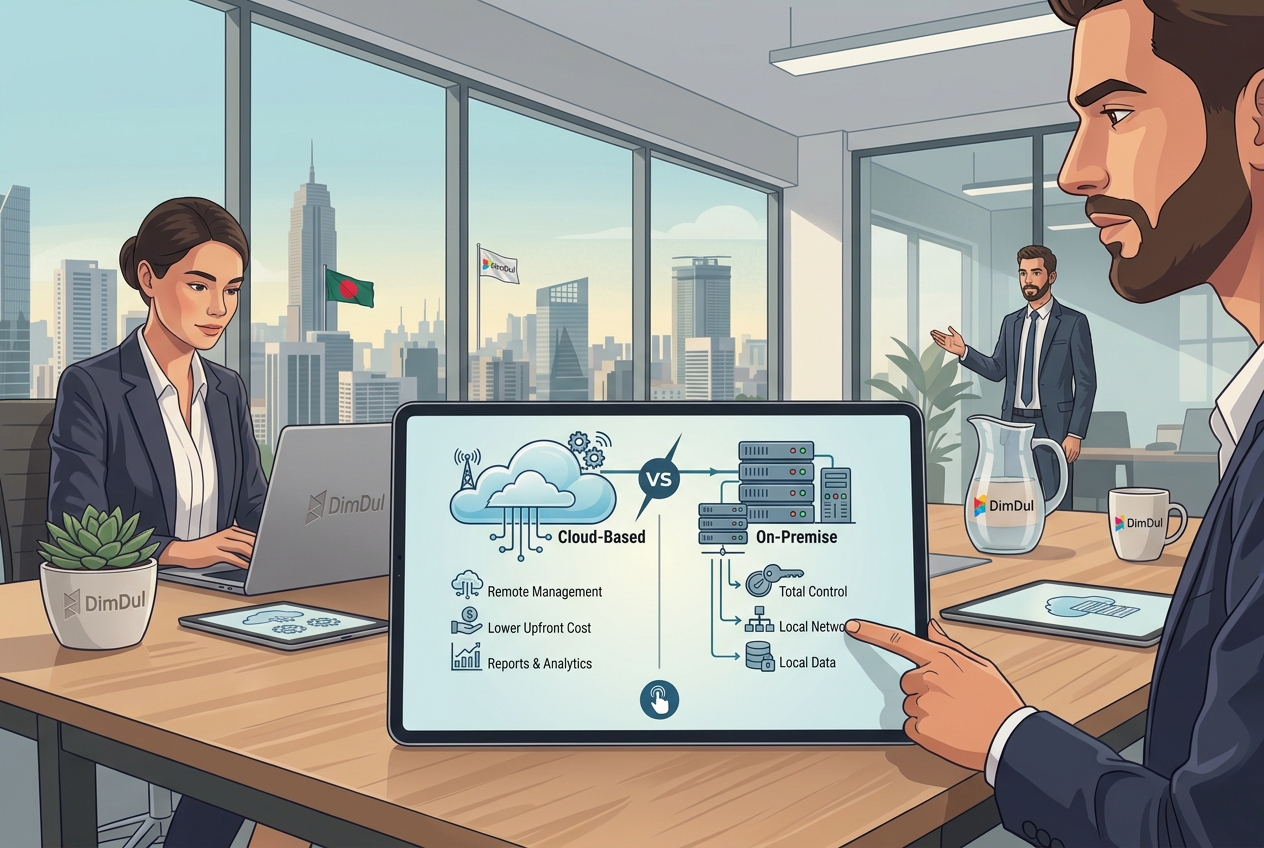
Cloud vs on-premise POS Bangladesh is an architecture choice. A cloud POS keeps the menu, bills, and stock on a remote server. An on-premise POS keeps them on a computer in the restaurant. Restaurant POS Bangladesh buyers hit both limits in the same week: the router dies in load-shedding, and the owner still wants yesterday’s sales from home.
Quick answer: For most independent restaurants in Bangladesh, a cloud-only POS and a rigid on-premise POS are both the wrong default. Use a hybrid POS: a cloud POS with offline POS, such as Riser POS, so the counter can bill when the internet drops and sync when it returns.
Written by Dimdul, House 10, Road 4, Kaderabad Housing, Mohammadpur, Dhaka-1207. Last updated: 4 October 2026.
What is a cloud POS?
A cloud POS hosts menus, sales, and inventory on a server you reach through an installed app or a browser. Staff at the counter use a phone, tablet, or PC. The owner can open the same figures from somewhere else in Dhaka, as long as that shop still has a connection.
What you gain:
- Remote reports and menu edits without standing at the counter.
- A monthly fee instead of a large license on day one.
- Updates shipped by the vendor, so you are not installing patches from a USB stick.
What fails in a restaurant here: a cloud-only till cannot print a bill when Wi-Fi and mobile data are both down. The login spins. The table waits.
What is an on-premise POS?
An on-premise POS stores the database on a local server or a desktop PC in the restaurant. The counter talks to that machine over a cable or the shop’s own network. The internet is optional for billing.
What you gain:
- Billing continues when broadband drops, because the software never needed it.
- A one-time license you own, if the contract actually says that.
What you give up:
- Reports and price changes stay in the building. A second outlet, or an owner in another neighbourhood, cannot see live sales.
- One disk is the history. A power surge, theft, or a dead drive removes it if nobody took a backup.
- Updates, backups, and repair visits are your job, or a paid call-out.
How do cloud, on-premise, and hybrid POS compare?
Cloud POS vs on-premise POS is usually sold as a pair. The third column is hybrid POS Bangladesh restaurants can run on a Friday night: cloud when the line is up, local when it is not. Riser POS is Dimdul’s hybrid. The vendor shortlist, including who documents VAT filing or delivery-app orders, is on best restaurant POS in Bangladesh.
| Question | Cloud-only POS | On-premise POS | Hybrid POS (Riser POS) |
|---|---|---|---|
| Bill when Wi-Fi and 4G drop? | No | Yes, on that PC | Yes, on the installed app, then it syncs |
| Owner sees live sales from home? | Yes, while the shop is online | No | Yes, while online. The cloud copy is behind during an outage |
| Where sales live | Host server | The restaurant PC | On the device for the open shift; on the host after sync |
| Who keeps the backup | The host | You | The host, after sync succeeds |
| Year-one software cost | A monthly quote | A license quote, a Windows PC, and later visit fees | ৳29,000 before hardware |
| Who it fits | Stable fiber and a UPS on the router | One counter, owner always on site, no monthly fee | Independent restaurants that need remote reports and offline billing |
Confirm the middle column with the vendor in a demo. Riser POS figures are what Dimdul publishes: ৳2,000 per month plus ৳5,000 installation. That install includes domain, hosting, and training. Hardware is extra. There is no self-serve free trial.
What happens to billing during load-shedding?
Load-shedding is a power cut. The router usually dies with the lights. A laptop on battery, or a phone, can still be on. A cloud-only POS then has a live screen and a dead network, so it cannot close the table.
A hybrid POS keeps essential selling on the device that still has power: take the order, print a bill on a USB or Bluetooth printer paired to that device, and sync when the connection returns. A kitchen screen or a network printer on the dead router does not get the ticket. A Windows counter with no UPS stops with the lights, hybrid or not. Phone battery is the cheap UPS. The shopping list is restaurant POS hardware. The unplug test, and what offline mode does not do, is offline restaurant POS.
During the outage the owner at home does not see those tickets. Two branches do not sync with each other until each one is back online. Train the floor not to open a second bill for the same table on a second device.
How much does a cloud POS cost versus an on-premise POS?
Ask the on-premise vendor for three numbers in writing: the license, the PC it must run on, and the fee for an update or a visit next year. A low license with a paid call-out every time the disk needs a backup is not a cheap system.
The hybrid number Dimdul publishes (August 2026) is easy to put on one line. Riser POS price: ৳2,000 × 12 + ৳5,000 installation = ৳29,000 in year one for software and setup, before a thermal printer or a UPS.
Over several years a subscription can meet a one-time license. The subscription is paying for hosting, updates, and someone to call. An owned license still needs those jobs done. Price is the filter after offline billing, not before. Use the restaurant POS checklist for the other rows.
Who should choose cloud, on-premise, or hybrid POS?
Choose a cloud-only POS when the fiber stays up, the router and the till sit on a UPS, and a missed Friday service is acceptable. That is a narrow set of sites. A Dhaka dining room at iftar is not usually in it.
Choose an on-premise POS when there is one counter, the owner is on the floor, they refuse a monthly fee, and they will back up that PC themselves. The on-premise pattern in this market is a Windows desktop that never needed the internet. NimuPOS is the example named for that job on the best restaurant POS page. Confirm what happens when that disk dies.
Choose a hybrid POS when the owner is not always in the building and the counter still has to bill through a dead Wi-Fi hour. That is the usual independent restaurant, cafe, bakery, tea stall, or cloud kitchen. Riser POS is built for that split: remote sales and inventory when the line is up, orders and bills on Windows, Android, or a tablet when it is not. Kitchen display, when the kitchen device is still reachable, is covered on the KDS page.
Do not pick Riser POS when you must file Mushak 6.3 from the till, take bKash or Nagad as an in-till button, or pull Foodpanda or Pathao orders onto the kitchen screen. Those are not published Riser POS features. Start from the vendor table on the best-POS page.
Where does restaurant POS data live?
“Data security” here means who holds the copy and what one failure deletes.
- Cloud-only. Sales sit with the host. A burnt counter PC does not erase them. A dead internet connection means you also cannot create the next bill. You depend on the host’s backups and on a password the whole floor does not share.
- On-premise. Sales sit on one machine in the restaurant. An outage does not stop billing. A surge, a stolen PC, or a drive that was never copied can erase the history.
- Hybrid. The open shift sits on the device. After sync, a second copy is on the host. Until that sync, the cloud is missing those tickets. A failed sync, or two devices billing one table, is an operations problem, not a cloud miracle.
None of the three replaces a UPS on the router and a printer that does not depend on that router.
Frequently asked questions
Which is better: cloud or on-premise POS for a restaurant in Bangladesh?
Neither extreme is the better default. A cloud-only POS stops billing when the internet drops. An on-premise POS keeps billing and keeps reports inside the building. For most independent restaurants, a hybrid POS (cloud plus offline POS) is the fit. Riser POS is that shape, at ৳2,000 per month plus ৳5,000 installation.
Does a cloud POS work during load-shedding?
A cloud-only POS does not, once the router has no power. Load-shedding cuts electricity. The till can still have battery while the network is gone. A hybrid POS can bill on the device that is still on, then sync. A Windows PC with no UPS stops with the lights. Put the router and a counter PC on a UPS, or use a charged phone.
Is cloud POS cheaper than on-premise software?
In year one, a published subscription is the number you can budget. Riser POS is ৳29,000 for software and installation before hardware (৳2,000 × 12 + ৳5,000), as published in August 2026. An on-premise system is a license quote plus a PC and later fees for updates and visits. Over several years the totals can meet. Hosting and updates are inside the Riser POS fee.
Does Riser POS work without the internet?
Yes for essential selling on the installed app: orders, tables, and bills, then a sync when the connection returns. Live sales on the owner’s phone do not update during the outage. Unplug the cable in the demo and add an item before you treat offline POS as real.
Is restaurant data safer in the cloud or on a local PC?
Safer means two copies. Cloud hosting survives a dead counter PC and cannot open a new bill offline. A local PC survives an internet cut and loses history if that disk was never backed up. Hybrid POS keeps the shift on the device and copies it to the host after sync.
Next step
WhatsApp Dimdul for a Riser POS demo: +880 1538-004738. Ask them to disconnect Wi-Fi, add an item, and print the bill. If that step fails, you are looking at a cloud-only POS.
*Written by Dimdul, House 10, Road 4, Kaderabad Housing, Mohammadpur, Dhaka-1207. Last reviewed 4 October 2026. WhatsApp +880 1538-004738 · [email protected]*